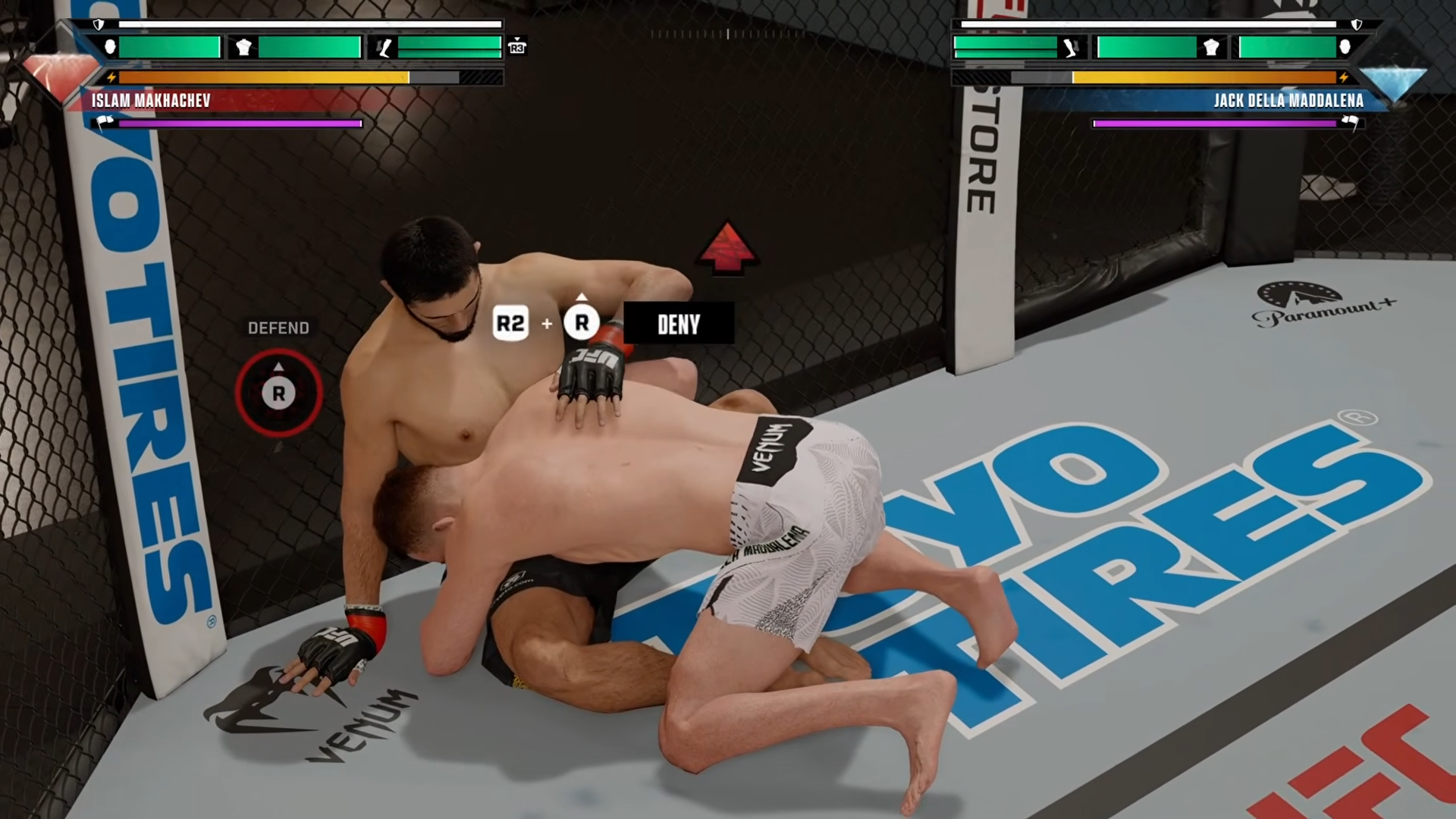
Learn how to change the difficulty in UFC 6 through the gameplay settings to easily adjust the AI challenge and customize your overall experience in the Octagon.
To change the difficulty in UFC 6, open Settings from the main menu, go to Gameplay, and move the difficulty option to Easy, Normal, Hard, Pro, or Legendary — it saves automatically when you back out.
Where the difficulty setting lives
The AI difficulty is housed entirely inside the Settings menu, specifically under the Gameplay sub-tab. There is no cost, no unlock requirement, and no special item needed to change it — it is a pure settings toggle. You do not need to progress through Career Mode or spend any currency to access it. If you are looking for control remapping or grappling assist presets, those are found under a separate Controls menu, so make sure you are in the right place before adjusting your AI challenge.
How to change your difficulty in UFC 6
STEP 1/5
Open Settings

From the UFC 6 main menu, tap the right bumper three times to highlight the Settings tab.
STEP 2/5
Select Gameplay

Press A on the Gameplay option to enter the AI and assist settings menu.
STEP 3/5
Highlight the difficulty row

Press the right bumper once to land on the Difficulty row, which displays your current tier.
STEP 4/5
Pick your difficulty tier
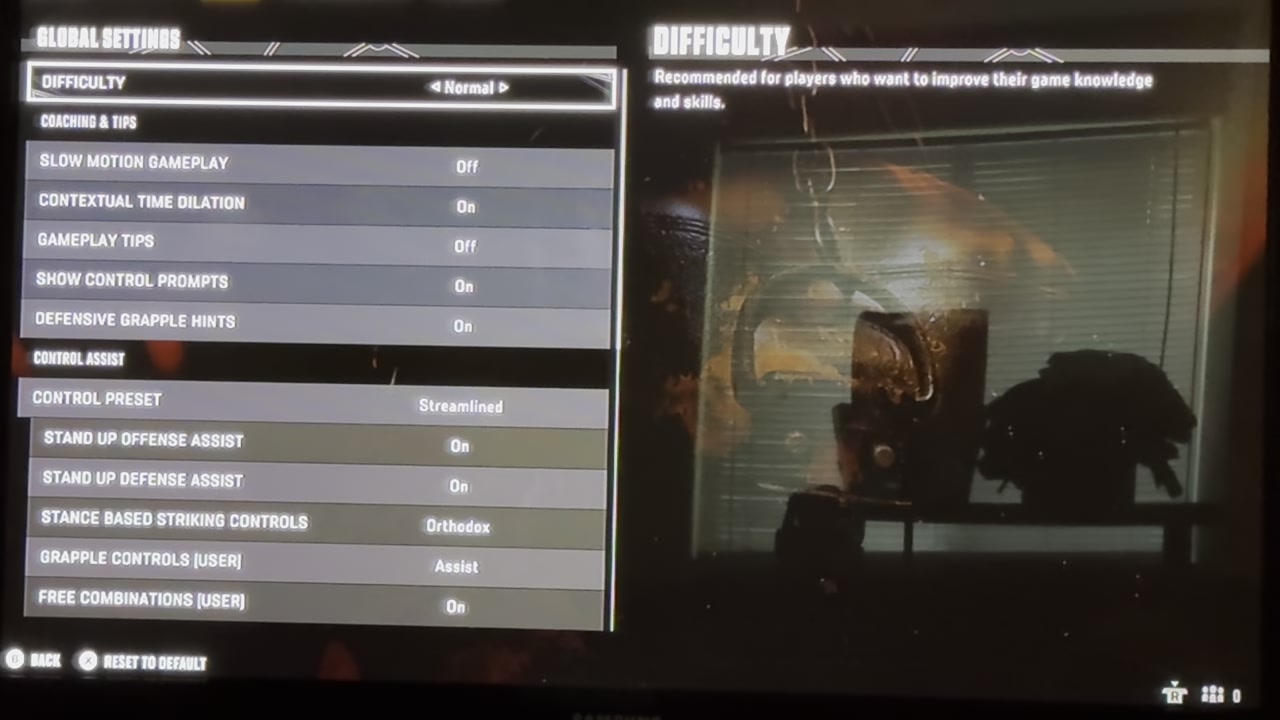
Move your cursor left or right to cycle through Easy, Normal, Hard, Pro, or Legendary, and leave it on the one you want.
STEP 5/5
Back out to save

Press B to exit the menu, and the game will save your new difficulty selection automatically.
Video help
Available difficulty tiers and who they suit
| Difficulty | Best for |
|---|---|
| Easy | Learning the striking and grappling controls without pressure. |
| Normal | A balanced baseline for players familiar with the fundamentals. |
| Hard | Players who want the AI to punish mistakes and mount real offense. |
| Pro | Experienced players looking for sharp AI defense and counter-striking. |
| Legendary | Veterans seeking the most punishing, simulation-level AI challenge. |
UFC 6 features five named difficulty tiers: Easy, Normal, Hard, Pro, and Legendary. Based on series behavior, higher tiers generally scale AI aggression, defensive awareness, and the timing and variety of strikes and takedowns. The exact numerical values and multipliers behind each tier have not been officially confirmed for the final release, so treat the guide below as a general experience map rather than hard stats.
Adjusting difficulty during Career Mode
However, whether mid-Career changes always apply seamlessly to an already-active save is not fully verified for UFC 6. Early players have reported mixed results, with one noting that Hard still felt too easy after a menu adjustment, leading to confusion about whether the setting applied correctly. It is also unconfirmed if any specific modes lock your difficulty mid-playthrough, though past UFC titles have occasionally restricted changes during certain challenge modes or tutorials.
Common mistakes when changing difficulty
Another common error is looking under the Controls tab instead of Gameplay. Control remapping and assistance presets live under Controls, but the actual AI Difficulty slider lives under Gameplay. Final, if you feel the AI suddenly shifted on you mid-fight despite your settings staying the same, you are not alone. Some players have wondered if UFC 6 features dynamic difficulty scaling that artificially lowers or raises the AI challenge based on your in-fight performance. This dynamic scaling remains unconfirmed, so it is best to treat any sudden swings as standard AI behavior rather than a hidden mechanic.
If your Career Mode fights feel off after a menu change, back all the way out to the main menu and re-enter Career to force the new AI difficulty to load on your next bout.
Frequently Asked Questions
Can you change the difficulty mid-Career, and does it apply to your current save?
You can access the Gameplay settings from your Career Hub and adjust the AI difficulty at any time. The change should apply to your next fight, though whether it reliably updates an already-active Career save is not fully verified. If the new difficulty does not seem to take, backing out to the main menu and re-entering Career may help.
Can you change difficulty in online or ranked matches?
No. Difficulty sliders only affect offline AI opponents. Online ranked and PvP matches pit you against human players, so there is no AI difficulty to adjust — your challenge is determined by matchmaking and fighter ratings.
Do difficulty settings save automatically?
Yes. Once you select your desired tier and press B to back out of the Gameplay menu, UFC 6 saves the setting automatically. You do not need to manually confirm or hit a separate save button.
Do higher difficulties give better rewards or unlocks?
It is not currently confirmed whether playing on higher difficulties unlocks exclusive fighters, gear, or achievements in UFC 6. The sources do not specify any point multipliers or special rewards tied to tougher AI tiers.